
📱𝐈𝐌𝐄𝐈 Service | Network Unlock | iCloud 🛒𝐒𝐞𝐫𝐯𝐞𝐫 𝐒𝐞𝐫𝐯𝐢𝐜𝐞 | FRP Credits | Box & Dongle Activation Digital Tools Access Rent (Get Auto User & Password)✅ Service By Group
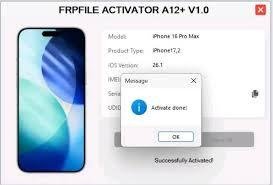
#7444 FRPFILE Remove Screen Time & Bypass Hidden iCloud ID Open Menu (NOT FMI OFF) - iPhone 16/ 16e / 16 PRO/ 16 PRO MAX
Price
Login to show
Delivery
0 Instant
Status
Online
You must agree before submitting.
iCloud Account Hide Service
This service is used to remove (hide) the existing iCloud account currently on the device.
It is NOT an iCloud OFF service
⚠️ Important Notes:
- Lost device are not supported.
- Hidden Account now only (delete iCloud account and remove Screentime passcode) NOT FMI OFF
- This service is intended only for customers who forgot their iCloud password and wish to remove the current account to sign in with a new one.
- We do not take any responsibility for data loss, legal issues, or any potential risks to your device.
>> Place your order only if you agree to the above terms.
Instructions:
1. If your device has a screen lock password, try turning off the screen lock password by: Settings > General Settings > Transfer or Reset iPhone > Reset > Reset all settings
2. If device have screen time passcode > click "Remove Restriction" > The device will restart. As soon as the screen turns on, if device can't turn off screen passcode you must quickly enter the screen passcode. After Remove Screentime Passcode Device will back to screen settup > Make sure to select "Continue with Partial Setup > Customize Seting > Don't restore app and data". After finish you must do Reset all settings: Settings > General Settings > Transfer or Reset iPhone > Reset > Reset all settings.
3. Click Hidden account for delete iCloud account (This not FMI OFF So Do NOT RESTORE OR FACTORY RESET DEVICE)
4. Once the tool has removed the iCloud account from the device, simply use Block Reset to finish the process.
Everything works :
• Cellular Service ✅
• Sign in with new Apple ID or create Apple ID ✅
• FaceTime, iMessages & all streaming apps ✅
• Software updates to any future iOS versions ✅
Support Telegram: @frpfilecom
-
#7440 FRPFILE Remove Screen Time & Bypass Hidden iCloud ID Open Menu (NOT FMI OFF) - iPhone 11/ 11 PRO/ 11 PRO MAX
0 Instant -
#7445 FRPFILE Remove Screen Time & Bypass Hidden iCloud ID Open Menu (NOT FMI OFF) - iPhone Xr/Xs/Xs Max
0 Instant -
#7442 FRPFILE Remove Screen Time & Bypass Hidden iCloud ID Open Menu (NOT FMI OFF) - iPhone 14/ 14 PLUS/ 14 PRO/ 14 PRO MAX
0 Instant -
#7436 FRPFILE Remove Screen Time & Bypass Hidden iCloud ID Open Menu (NOT FMI OFF) - 17/ 17 AIR / 17 PRO/ 17 PRO MAX
0 Instant